Every renewal, remembered.
Every document, on your phone.
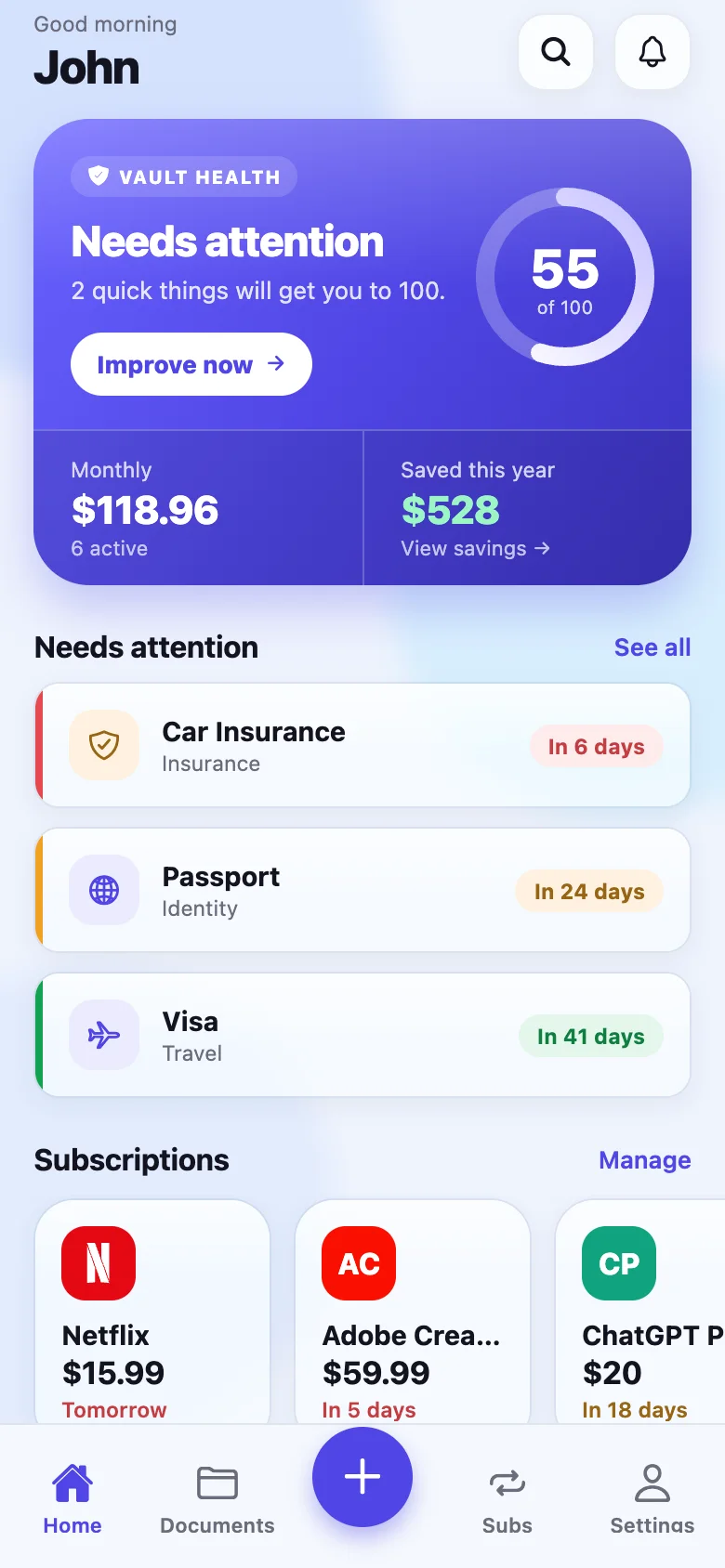
Add a passport, a licence, an insurance policy or a subscription. RenewKeep warns you before it expires — on a schedule you choose — and never sends a single document anywhere.
- Works with no internet at all
- Documents encrypted on the device, never uploaded
- Reminders 90, 30, 7 days out, or any days you like
- Subscriptions and documents in one place
One email when the app is live. Nothing else, ever.
The document you need is never where you are
The insurance certificate is in a drawer at home. The passport expiry is a date you last looked at in 2019. The gym membership renews itself every year on a card you cancelled. This is the admin nobody has a system for, and it costs real money — late fees, a missed flight, a warranty that lapsed a week before the fault.
Reminders on your schedule
Pick any days before expiry — 90, 60, 30, 14 or a number you type. Set it once for everything, or differently for one noisy renewal. Mute the ones you do not care about and they stay muted.
On your phone, and only there
Documents and photos are stored in a SQLCipher database and AES-256-GCM files, unlocked by a 256-bit key that lives in the phone's own keystore. There is no upload path in the app — not an option that is off, a code path that does not exist.
Offline is the default
On a flight, in a basement car park, abroad without data: everything opens instantly and reminders fire from the phone itself. The network is used only if you choose to track subscriptions and sign in.
Scan, upload or type
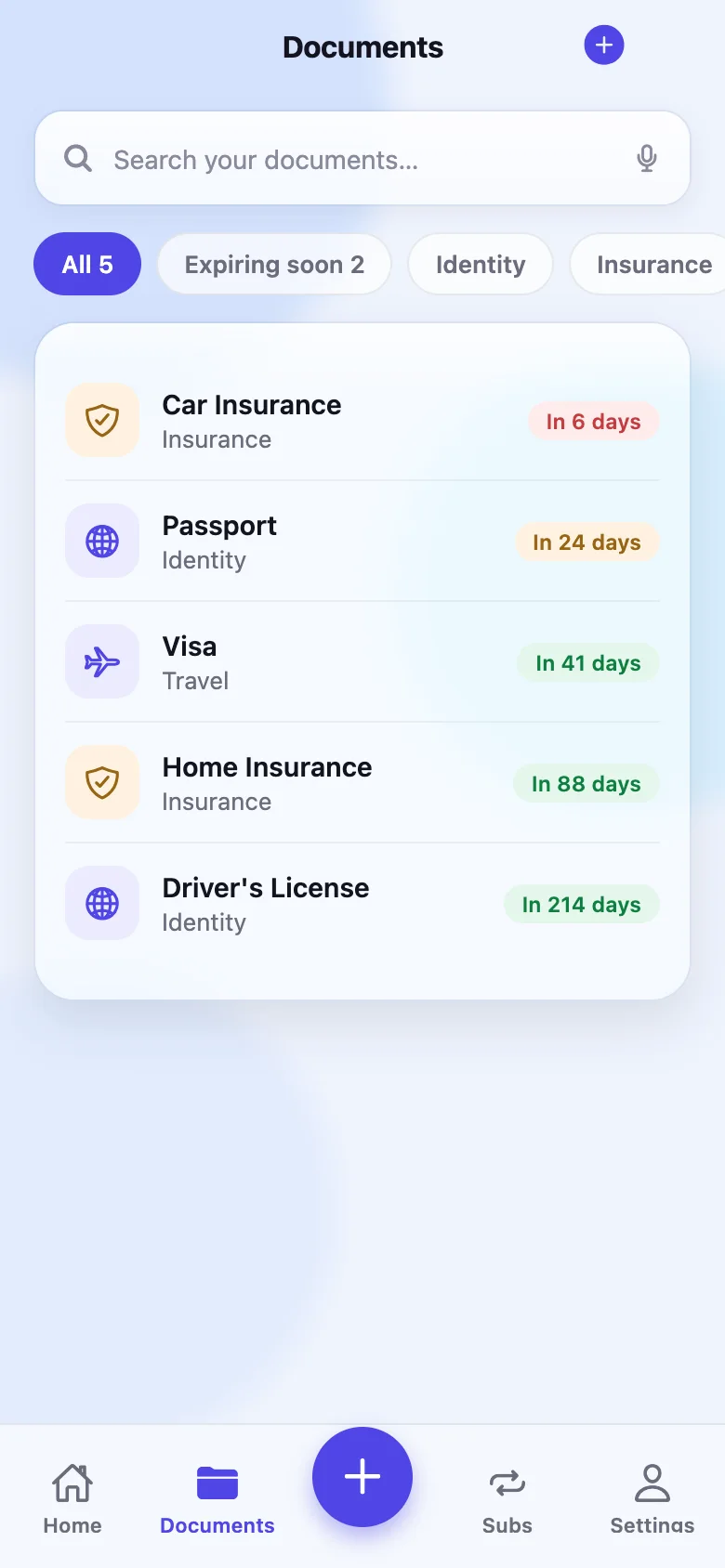
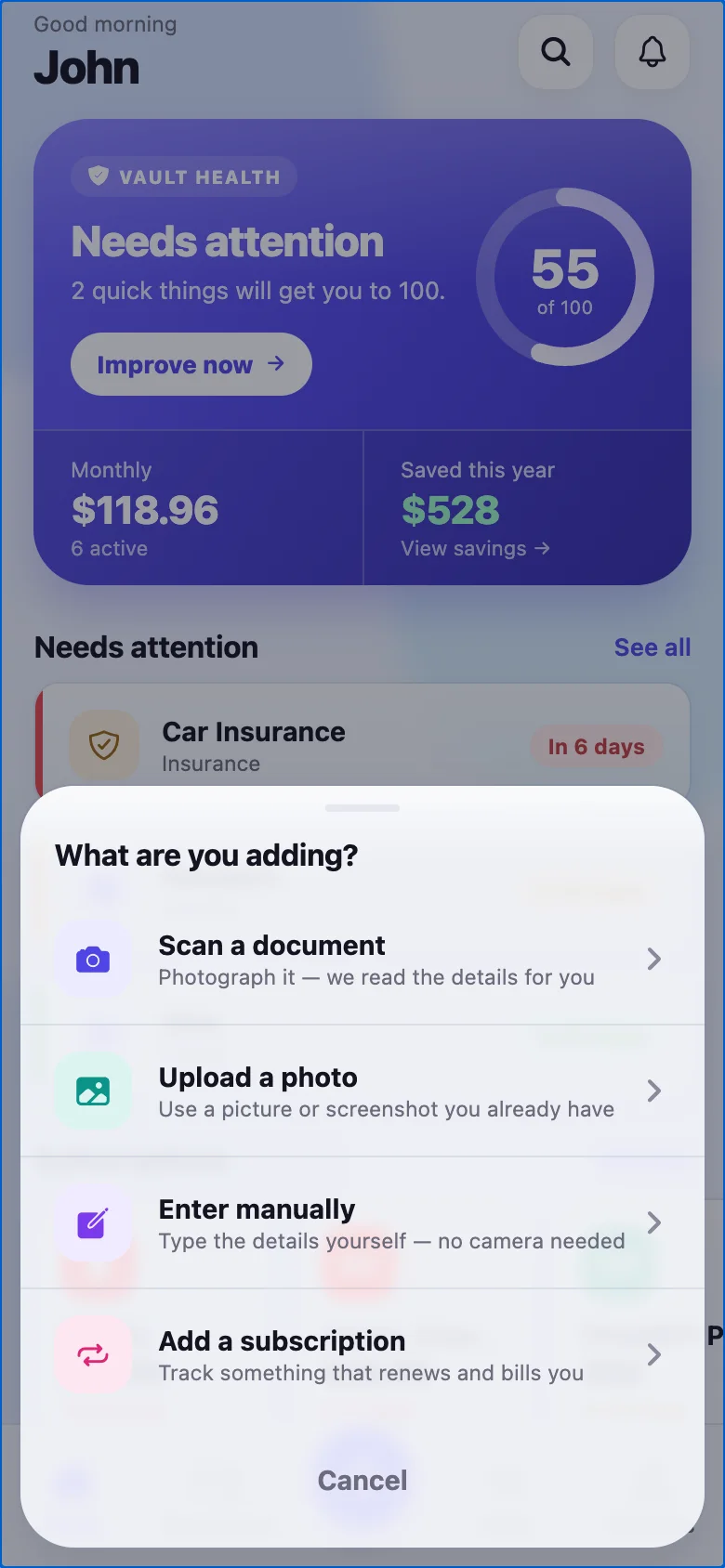
Photograph a document and the fields are read on-device. Or pick a photo you already have, or type it in. Front and back photos stay attached to the document, encrypted like everything else.
Subscriptions with real logos
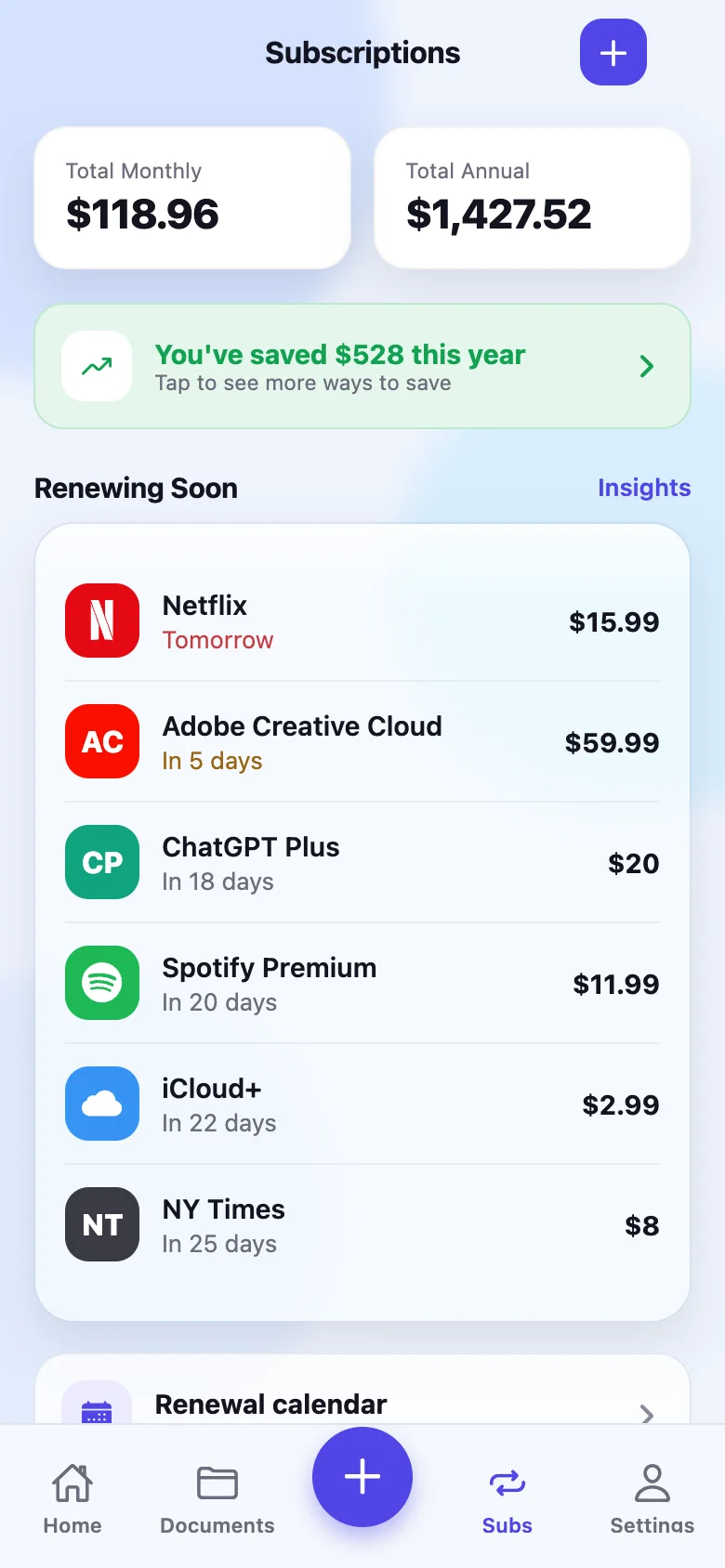
60 services ready to add — 42 with their real marks — plus anything you type yourself. See what you pay monthly and yearly, and what renews this week.
One calendar for all of it
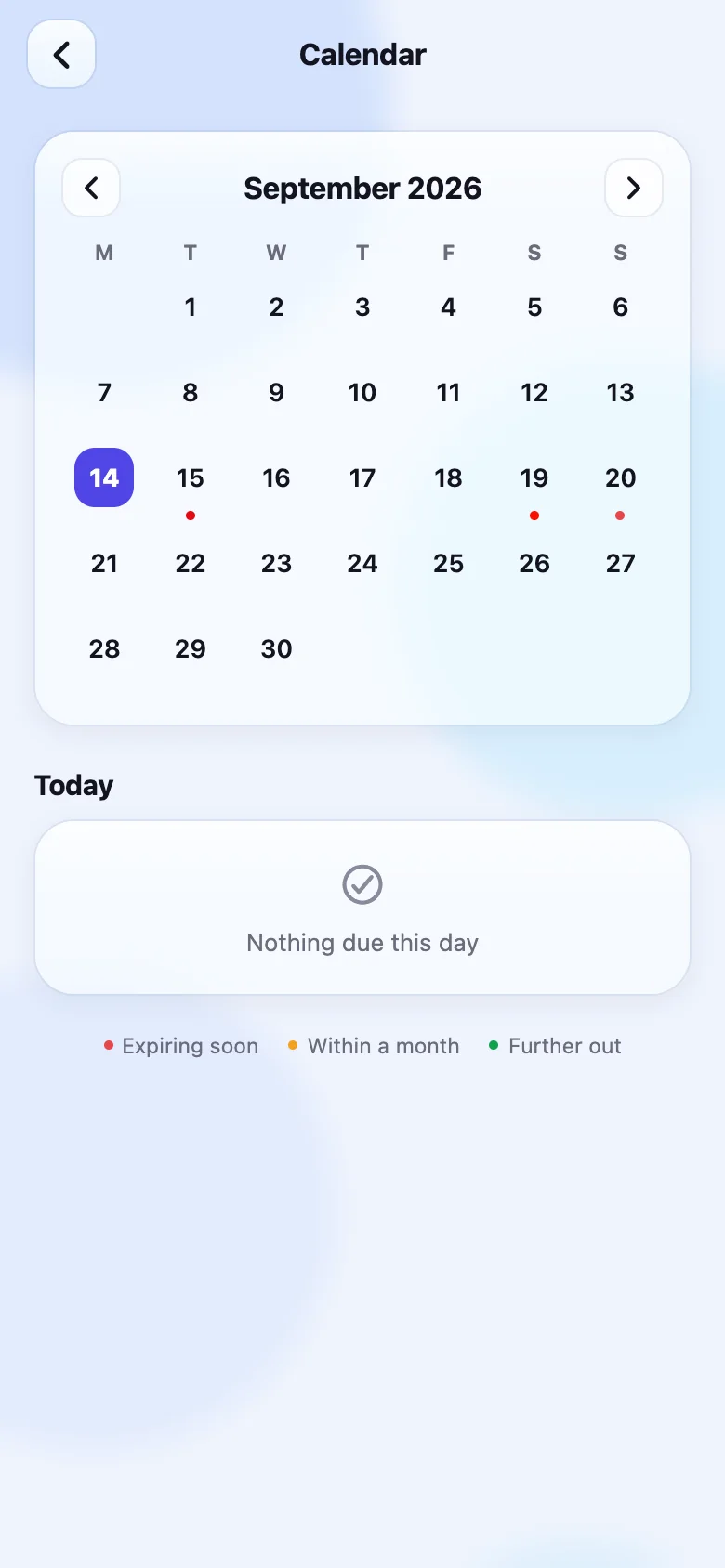
Every expiry and renewal on a month grid, colour-coded by urgency. Tap a day to see what is due. Add renewals to your Apple or Google calendar so they show up where you already look.
What it looks like
Real screens from the app, not mockups.
Why nothing is uploaded
Most apps in this category encrypt your documents on their servers and call that privacy. It is not quite: the company holds the key, so the company can read the file. A photograph of your passport on someone else's disk is still a photograph of your passport on someone else's disk.
RenewKeep does not have a server-side copy to protect, because there is no server-side copy. The honest cost of that design is spelled out too: if you lose the phone without a backup, we cannot recover your documents — nobody can, which is the point. How the storage works, and what it means for you →
Free tools you can use today
No install needed. Both run in your browser and send nothing to us.
Passport validity checker →
Many countries refuse entry if your passport expires within six months of arrival. Enter your expiry date and destination and see whether you can travel — with the rule for each country and where it comes from.
Subscription cost calculator →
Add what you pay and how often, and see the true yearly figure. Most people underestimate it by a third. Works with weekly, monthly and annual billing.
Guides
Written by a person, about the actual problem. No filler.
Documents to check before moving abroad
A move abroad is a document audit: the passport buffer, a driving licence that stops being valid, insurance that quietly ends, and papers you cannot get overseas.
How to store important documents safely
Where to keep passports, certificates and policies: what fire, theft, loss and a breach do to paper, a phone and the cloud, and the two-copy rule that beats them.
Lost your phone with your documents on it
Phone lost with your documents on it: lock and locate, cut off the SIM, work out what was actually readable, restore from backup, and what to do if there was none.
Passport expiry: what to check before you travel
Before you book: how long past your trip your passport must stay valid, arrival versus departure counting, blank pages, and why a new passport voids your ESTA.
Subscriptions you forgot you are paying for
How to find every recurring charge: the six places subscriptions hide, why bank-linked trackers missed up to half in testing, and a list that cannot skip one.
What to do when car insurance lapses
Car insurance lapsed? Stop driving, get cover in place today, check whether the gap has legal consequences where you live, and fix the renewal date nobody watched.
All guides → · How RenewKeep compares to other renewal apps →
Questions people ask
Is it really free?
Yes. The free plan holds up to 10 documents with reminders at 90, 30, 7 and 1 day, encrypted on your device, working offline. Premium ($2.99/month, $19.99/year, or $39.99 once) removes the document limit and the one-photo limit, and adds custom reminder schedules, email reminders to any address you confirm, attachments for receipts and policy PDFs, and a printable summary of everything you hold. No ads on any plan. You will see the limit coming — the app tells you at 7 documents, not when you hit the wall.
What happens if I lose my phone?
Your documents are encrypted with a key that exists only on that phone, so they cannot be recovered from us — there is no copy here. The app's encrypted backup file is the safety net: keep one somewhere you control, protected by a passphrase you choose.
Do reminders work without internet?
For documents, yes — they are scheduled on the phone itself. Subscription reminders are also delivered to the phone, and the app works fully offline for viewing and adding anything.
Which documents can it track?
Anything with a date: passports, visas, driving licences, ID cards, car and home insurance, warranties, memberships, tenancy agreements, certificates. It comes with 8 categories and you can file anything under any of them.